What is All Do?
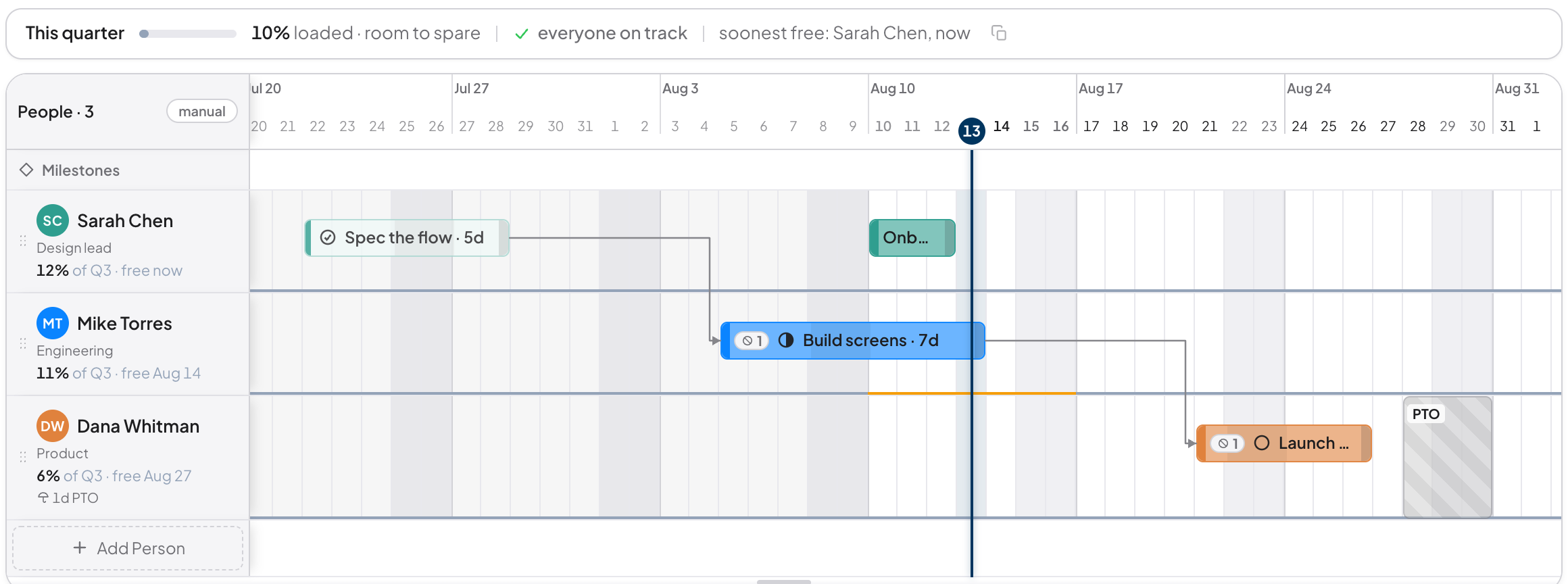
All Do is a free, web-based planning tool for small design and product teams. It pairs a quarterly Gantt timeline with swimlanes, PTO, and realtime collaboration so a team of up to about ten people can see who's working on what, and when they're out, in one shared view.
Is All Do free?
Yes. All Do is entirely free. There are no paid features or upgrade tiers.
Who is All Do for?
All Do is built for design and product teams up to roughly ten people who want a lighter alternative to Linear, Monday, Jira, Toggl Plan, or Float for sprint and quarter planning.
Does All Do have a Gantt timeline?
Yes. Each board shows a horizontal timeline across days, weeks, months, quarters, and years, with one swimlane per teammate. Tasks are drag-and-drop bars; PTO and holidays are striped overlays.
Can I plan PTO and vacations in All Do?
Yes. Each teammate has their own PTO entries that automatically split through their active tasks, so task end dates account for time off without you doing the math.
Is All Do collaborative in realtime?
Yes. Boards live in Vaults that you can share with teammates by email. Changes propagate in realtime; everyone sees updates immediately.
Do I need to install anything to use All Do?
No. All Do runs in any modern browser. It can also be installed as a Progressive Web App on macOS, Windows, iOS, and Android for an app-like experience, but the install is optional.